JQUERY – HOW TO USE
- development
- javascript
- jquery
<script src="jquery.min.js"></script>
Changing multiple elements at once
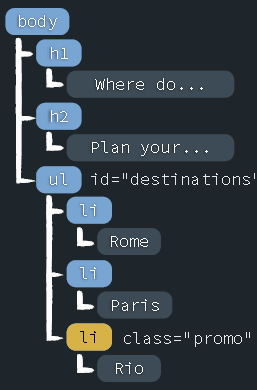
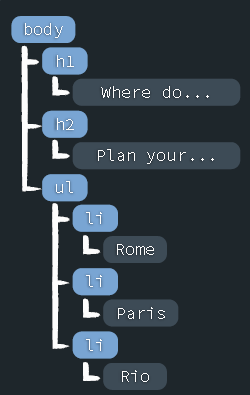
How do we change the text of every <li> in this page?
<h1>Where do you want to go?</h1>
<h2>Travel Destinations</h2>
<p>Plan your next adventure.</p>
<ul id="destinations">
  <li>Rome</li>
  <li>Paris</li>
  <li class="promo">Rio</li>
</ul>
First, find them and then modify their text.
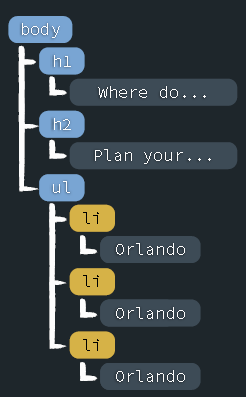
Let's select list items with the word Orlando:
$('li').text('Orlando');
Finding elements by ID and class
$('#destinations');
Changing multiple elements at once
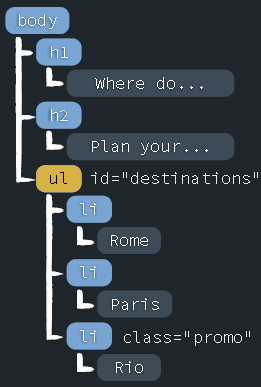
How do we specifically select the <ul> that has a destinations ID?
HTML document
<h1>Where do you want to go?</h1>
<h2>Travel Destinations</h2>
<p>Plan your next adventure.</p>
<ul id="destinations">
    <li>Rome</li>
    <li>Paris</li>
    <li class='promo'>Rio</li>
</ul>
Selecting by unique ID
You can find an element by id using the $('#id') format. Notice the # sign, that's what we use to find the id similar to CSS.
('#destinations');
How can we select just the <ul> that has a promo class attribute? We have to find it using the class.
Selecting by Class Name
You can find elements by class name using the $('.class') format. Notice the . sign, that's what we use to find the classes similar to CSS.
$('.promo');