CSS – CLEARING FLOATS
- development
- javascript
Clearing Floats
Floated items can be taller than non-floated content
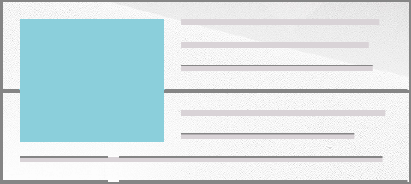
Clearing is necessary if all children are floating
Common float-clearing methods:
- Clear with a subsequent element
- Manual clearing
- The clearfix
clear: left / right / both
Clear with a subsequent element
HTML
<div>
  <img src="ski.jpg" alt="Skiing!" />
  To successfully ski, simply do not fall.
</div>
<div class="intro">Whee!</div>
CSS
img {
  float: left;
}
.intro {
  clear: both;
}
Clear with a subsequent element
This requires sequence to stay intact - breaks if things move. Background / border do not extend.
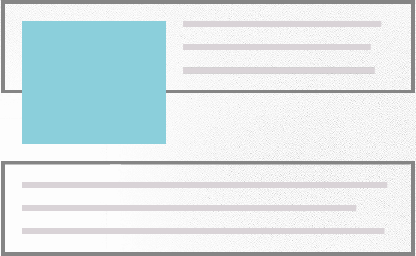
Manual clearing
This requires an empty element
HTML
<div>
  <img src="ski.jpg" alt="Skiing!" />
  To successfully ski, simply do not fall.
  <div class="clear"></div>
</div>
CSS
.clear {
  clear: both;
}
The clearfix
The clearfix was originally developed by Tony Aslett, and then refined by Nicholas Gallagher. When used on the parent, the children will be self-cleared.
HTML
<div class="group">
  <img src="ski.jpg" alt="Skiing!" />
  To successfully ski, simply do not fall.
</div>
CSS
.group:before,
.group:after {
  content: '';
  display: table;
}
.group:after {
  clear: both;
}
.group {
  zoom: 1; /* IE6&7 */
}